
Your DesktopHardwareMachineDesktopLabWorkbenchSensorsDev boardsHardwareMachineDesktopLabWorkbenchSensorsDev boardsHardwareMachineDesktopLabWorkbenchSensorsDev boardsHardwareMachineDesktopLabWorkbenchSensorsDev boardsHardwareMachineDesktopLabWorkbenchSensorsDev boardsAnywhere.
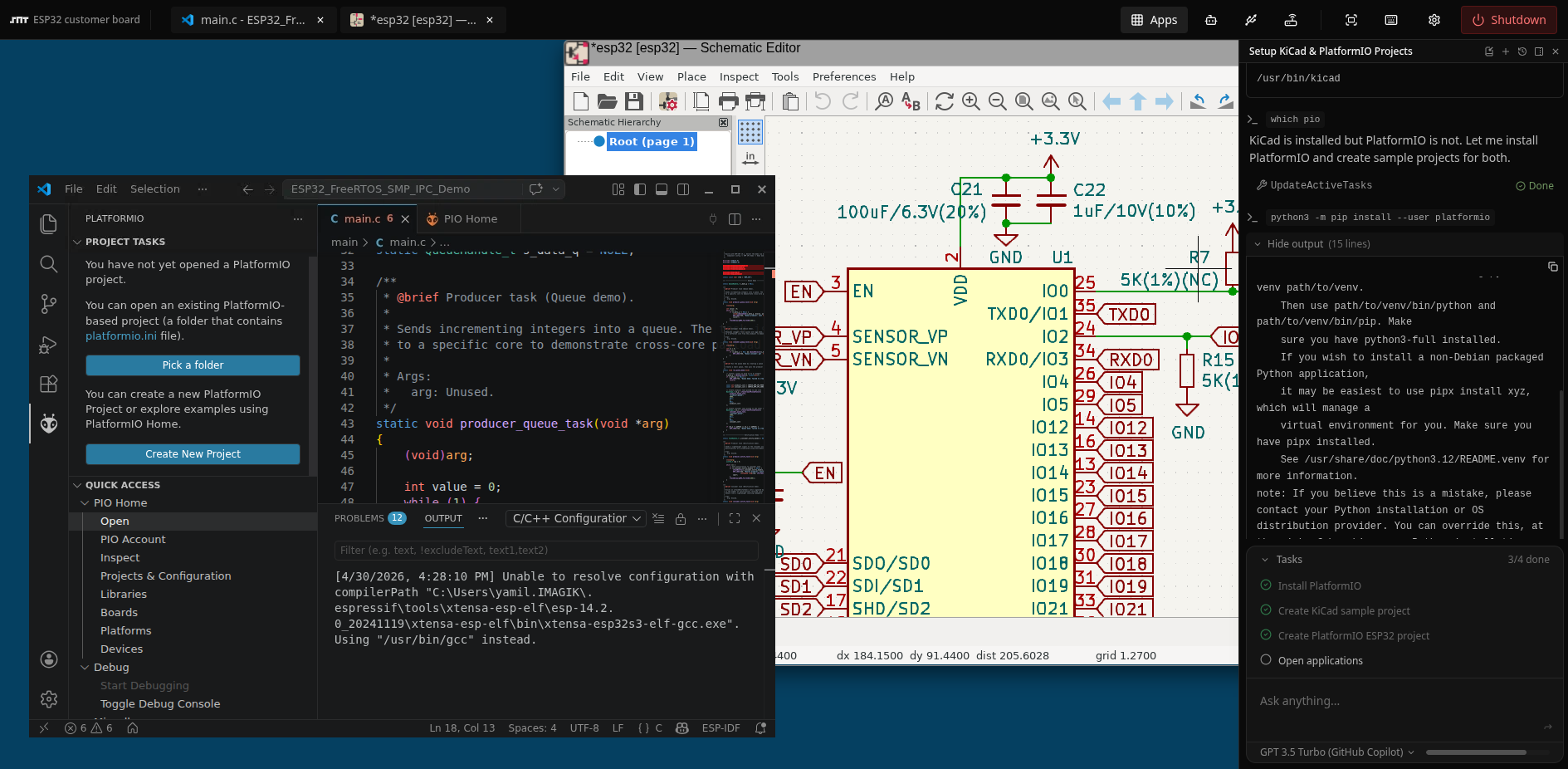
Build a complete Linux development bench with your toolchain, and physical USB devices. Share it via a link. No setup guides. No install.
Built for hardware teams
Currently, most teams are stuck shipping dev boards with 20-page setup guides, then debugging environment mismatches for three days. Instead of asking "how do we share USB devices," we ask: how do we ship a complete working bench that requires zero setup? The answer is one canonical machine, cloned per engineer, shared with prospects, forked for every scenario.
Dev & QA
One canonical machine, cloned per engineer. Everyone gets the same cross-compilation toolchain, debugger config, and hardware access.
- Checkpoint before risky updates
- Cloneable per team member
- Native JTAG & SWD support
Sales Demos
Demonstrate physical hardware to remote prospects in their browser — no install, no shipping, no setup guide. The hardware is already connected when they click the link.
- Password-protected share links
- Prospect sees live hardware instantly
- Kiosk mode for events & workshops
Manufacturing & Quality Control
Reproducible test environments tied to physical devices. Expose serial control panels and sensor dashboards as HTTPS endpoints via Relay.
- Expose your USB devices as secure HTTPS endpoints with your code running inside your machines no setup or deployment headache.
- Reproducible test benches
- Workstation mode for team access
What we actually solve
Ship a dev board. Write a 20-page setup guide. Debug their environment for three days.
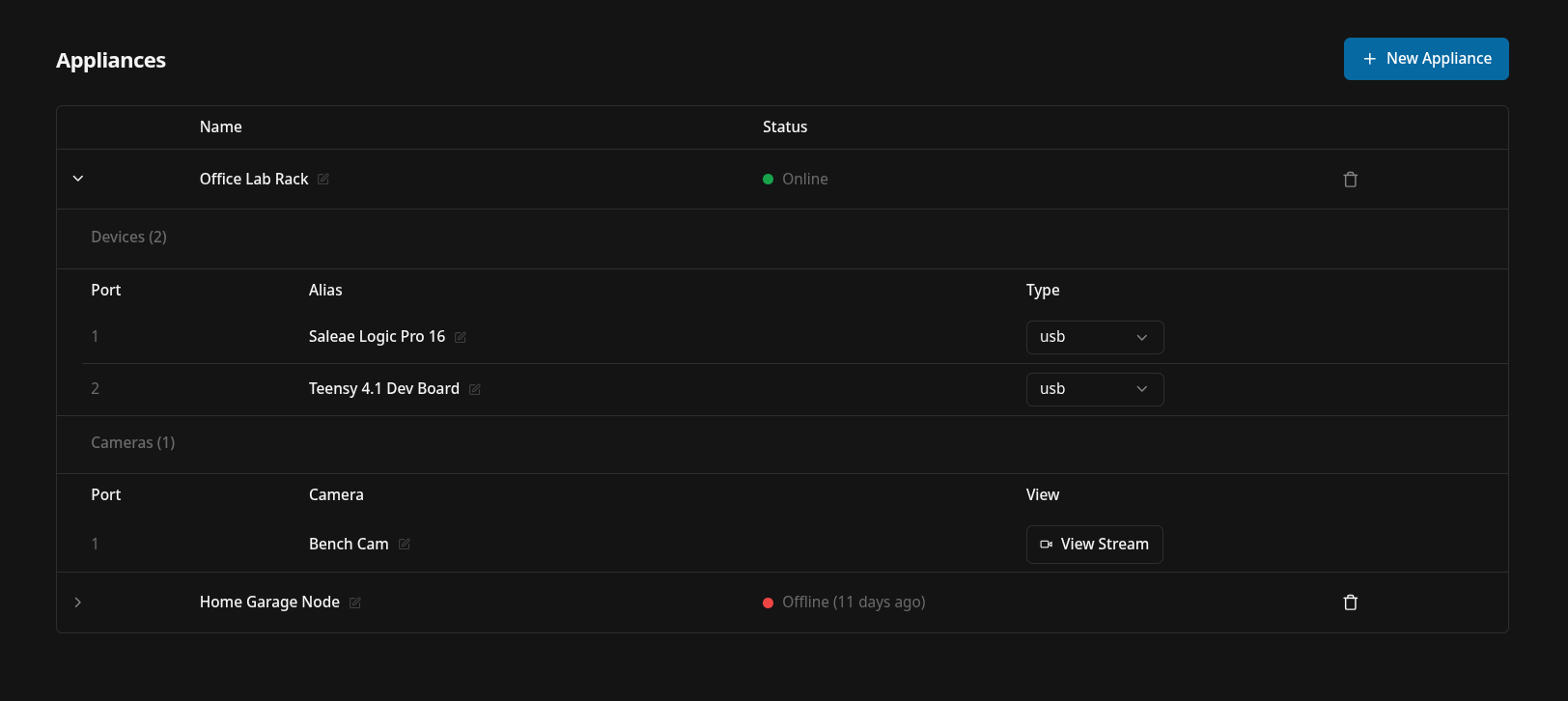
Plug hardware into a Raspberry Pi. Share a link. They get your exact bench — OS, tools, and hardware — in 30 seconds.
"It works on my machine." Everyone's setup drifts. Same repo, different results.
One canonical machine, cloned per engineer. Same toolchain. Same hardware access. No drift.
Afraid to upgrade the toolchain. One wrong change kills the demo.
Checkpoint. Upgrade. Break it. Restore in one click.
Demo hardware in person or over a shaky Zoom. Prospect can't interact.
Prospect clicks a link. Kiosk mode. Hardware is live. They flash firmware themselves.
Your scripts and tools live on one person's laptop. They go on holiday. Work stops.
The environment lives in the cloud. Always available. Anyone on the team can use it.
Learn more
Deliver an entire 1-click hardware development experience. With full control over networking, OS. Storage is persistent by default
Browse all documentation
Hardware
Plug real USB devices into a Raspberry Pi. They appear inside your machine, accessible from any browser.
docsSharing & Cloning
Share your exact machine via a password-protected link. Or clone it — give someone their own independent copy.
docsRelays
Any service running on your machine gets a private HTTPS URL instantly. Password-protect it or keep it to yourself.
docsNetworking
Custom firewall rules between machines or to the internet. Simple. Lightweight. Yours to configure.
Workstations
Give your team or contractors controlled access to a pre-built environment. Session recorded. Revoke with one click.
Kiosks
Spawn identical environments for workshops, demos, or onboarding. One click. Expires when you're done.
Try it. From $5 / moFrom $5 / mo
Covers server costs. Cancel anytime.