
Hardware Access
Plug real USB devices into a Raspberry Pi. They appear inside your browser.
The problem hardware access solves
Embedded development has a persistent logistics problem. Your firmware runs on a microcontroller in Cairo, but your senior reviewer is in Berlin. Your sensor calibration script needs a specific USB-to-serial adapter that is plugged into a lab bench, not your laptop. Your CI pipeline can compile the binary, but it cannot flash it to hardware.
SenetLab Hardware Access solves this by bridging physical USB devices into your cloud machine. You plug a sensor, or microcontroller into a lightweight Raspberry Pi appliance. The device appears inside your browser desktop as a native /dev/ttyUSB0 node. You flash firmware and read sensor streams exactly as if the device were attached locally.
How it works
The system has three layers: the appliance, the lab, and the machine connection.
The appliance
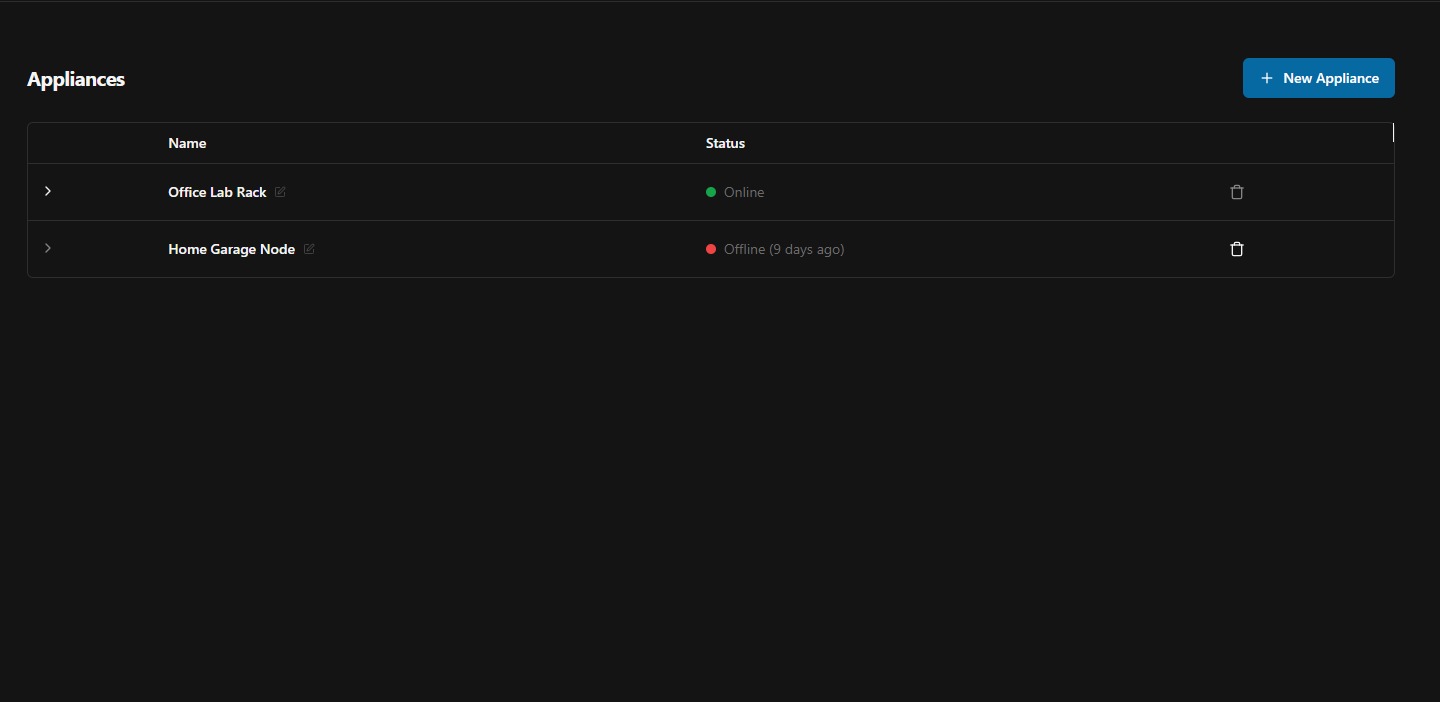
A Raspberry Pi running the SenetLab device agent. It connects to your account over the internet and advertises any USB devices plugged into its ports. The Pi needs power and network — nothing else. It does not need a display, keyboard, or SD card beyond the base image.
You register an appliance from the dashboard by clicking New Appliance and downloading the required raspberry pi image.
The lab
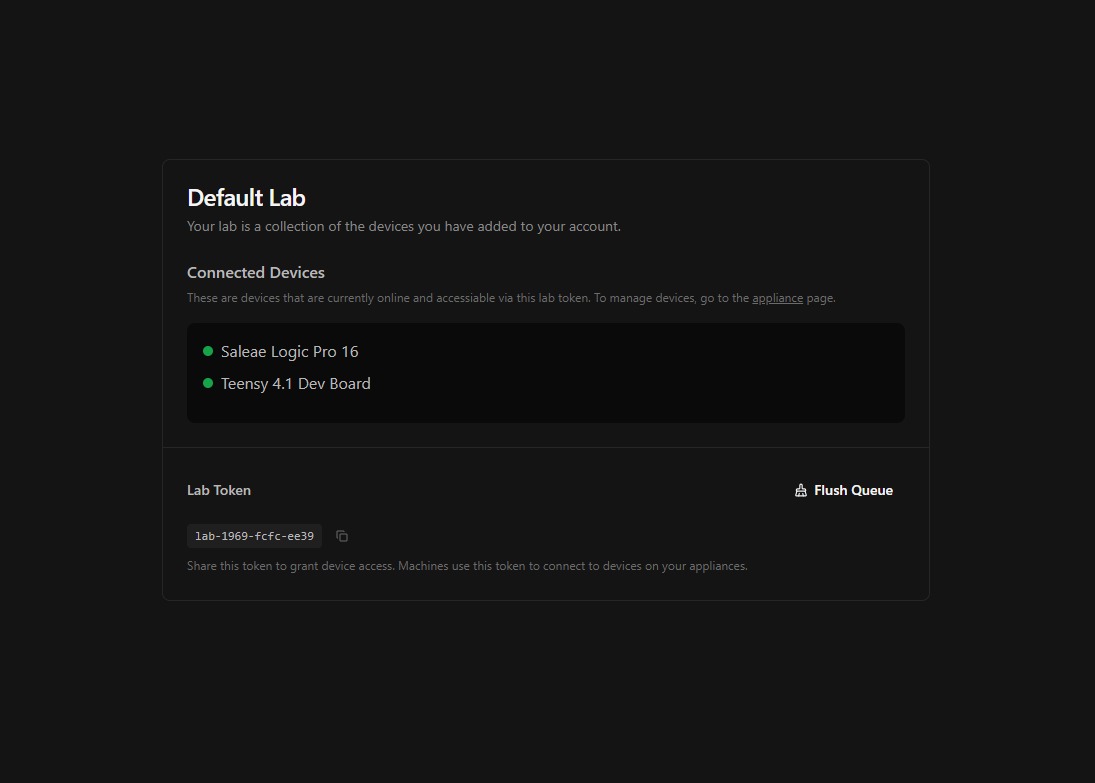
A lab is a logical group of devices. Your Default Lab contains every appliance you have registered.
Each lab has a token. Any machine that holds this token can access every device in the lab. You assign tokens from the machine settings or paste them into the device manager inside the desktop.
Device passthrough
When a machine holds a lab token, the appliance tunnels each USB device over a secure connection. On the cloud side, SenetLab creates a virtual device node that behaves exactly like a local USB attachment. Serial ports use the standard ttyUSB* and ttyACM* naming. Custom USB classes are forwarded transparently.
USB devices with class media are only supported for customers on the workstation plan.
From the machine's perspective, there is no difference between a physically attached device and a tunnelled one. You run screen /dev/ttyUSB0 115200, flash firmware with esptool.py exactly as you would on a laptop.
Supported device types
- Serial devices — USB-to-UART bridges (CH340, CP2102, FT232), native USB CDC (ttyACM), and proprietary bootloaders.
- Microcontrollers — ESP32, STM32, Arduino, and any device that exposes a serial port or DFU bootloader over USB.
- Custom USB classes — If the device enumerates on Linux, the agent can forward it. Contact support for non-standard device classes.
Security
Device tunnels are encrypted end-to-end using TLS 1.3. The appliance authenticates to SenetLab with a per-appliance certificate.
Troubleshooting
- Device does not appear — Check that the appliance is online. Try unplugging and re-plugging the USB device. Some devices need more power than what the raspberry PI USB hub is able to provide natively.
- Permission denied on /dev/ttyUSB0 — Your user may not be in the
dialoutgroup. The assistant can fix this: ask it to add your user to the group and re-log you in. - High latency and flashing timeouts — Check the appliance's bandwidth and internet connection. We recommend ethernet over wifi for latency senstive: high-baud rate USB devices.