
Assistant
Describe what you need. It installs, configures, and organises your desktop for you.
What the assistant does
The Senet AI assistant is a system agent that runs inside your machine, It can read files, execute shell commands, install packages, modify configuration, and explain what it is doing in plain language. You describe the outcome you want; it figures out the steps. And executes them directly.
Assistant allows you to connect with your Github Copilot credentials and utilize models that are included inside your copilot subscription. Integrations for openrouter and AWS bedrock are planned.
How to use it
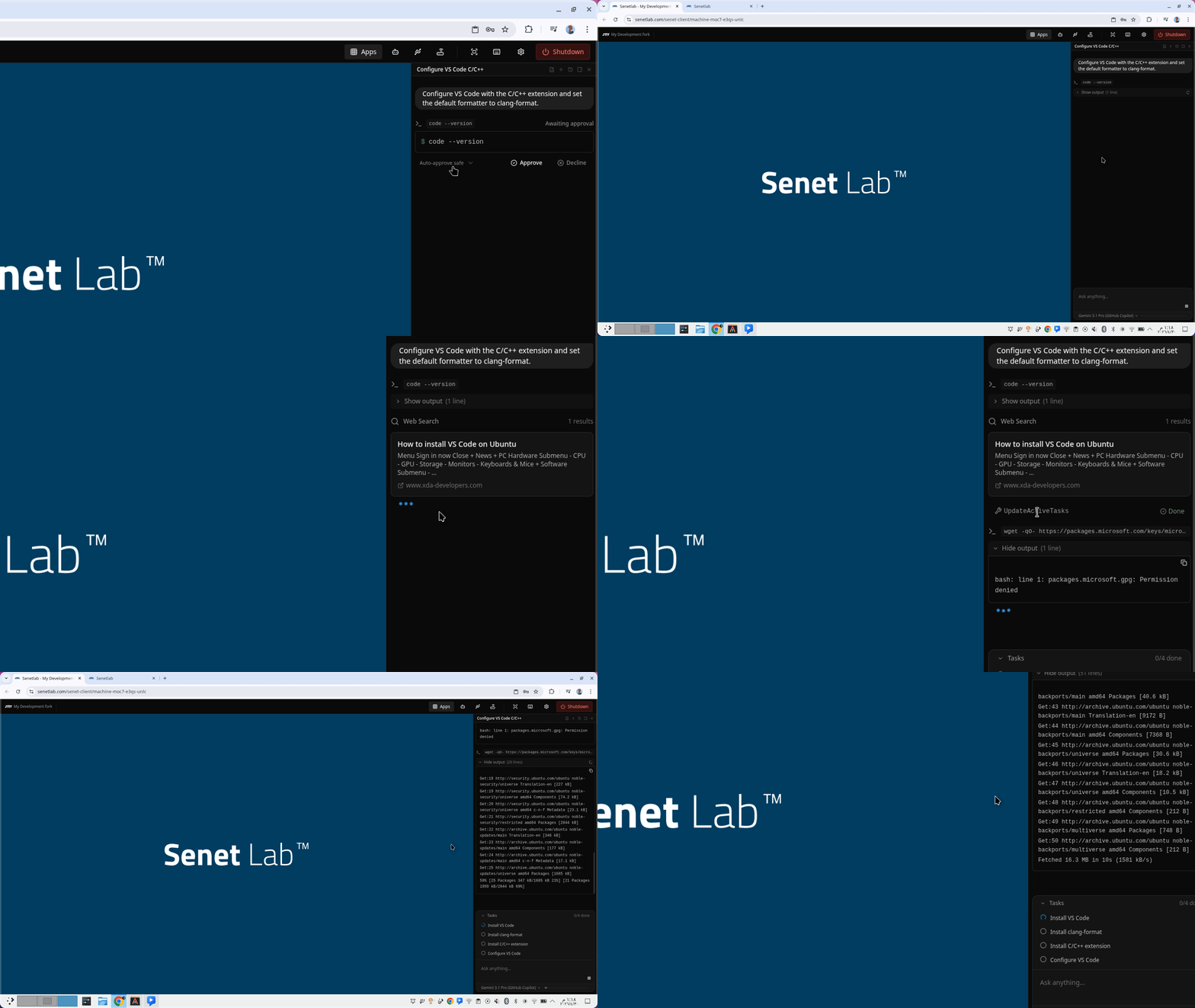
Open any running machine. The assistant panel is pinned to the right edge of the desktop. Type a request in natural language. The assistant will:
- Plan — Break your request into steps and show you the plan before it executes.
- Execute — Run commands, edit files, or install packages. You see every command and its output.
- Explain — Summarise what changed and why. If something fails, it diagnoses the error and retries with a corrected approach.
Example requests
"Install Node.js 20, pnpm, and the latest Prisma CLI."— The assistant picks the right repository, adds the GPG key, installs the packages, and verifies the versions."Set up a systemd service that runs my Flask app on boot."— It writes the unit file, reloads systemd, enables the service, and starts it."Find why port 8080 is already in use and kill the process."— It runslsof, identifies the owner, and either kills it or suggests a different port."Configure VS Code with the C/C++ extension and set the default formatter to clang-format."— It installs the extension, writessettings.json, and verifies the configuration.
Safety and control
Every destructive action requires your explicit approval. The assistant will ask before it runs rm -rf, modifies system configuration, or installs software from unofficial repositories. You can interrupt a running task at any time. You can also roll back to a checkpoint if something goes wrong.
When to use the assistant
- Debugging — Stuck on a linker error or a missing shared library? Paste the error into the assistant and it will inspect the system state, propose fixes, and apply them.
- Automation — Need a cron job, a systemd timer or something else that's very specific? Describe the intent and let the assistant write the boilerplate and verify that it works.