Sharing & Cloning
Share your exact machine via a password-protected link.
What sharing and cloning mean
When you enable sharing for a machine, you generate a URL that lets another authenticated user open your desktop and work inside it. They see the same files, the same open terminals, the same GUI state. It is collaborative access to a live computer.
Cloning goes further. When you mark a machine as cloneable, anyone with the share link can create their own independent copy. The clone starts from the same disk state but diverges immediately. You can think of it as forking an operating system.
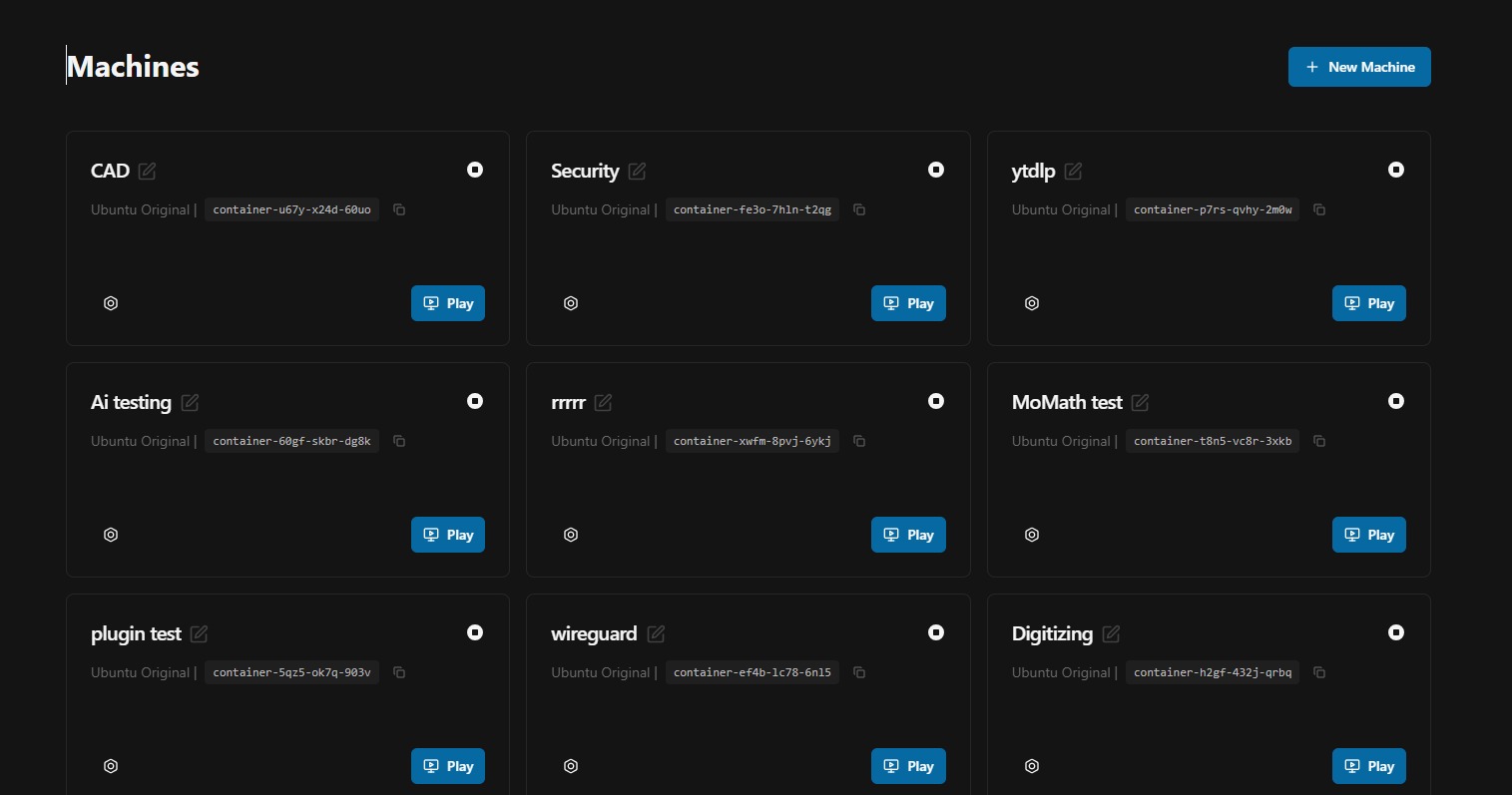
Generating a share link
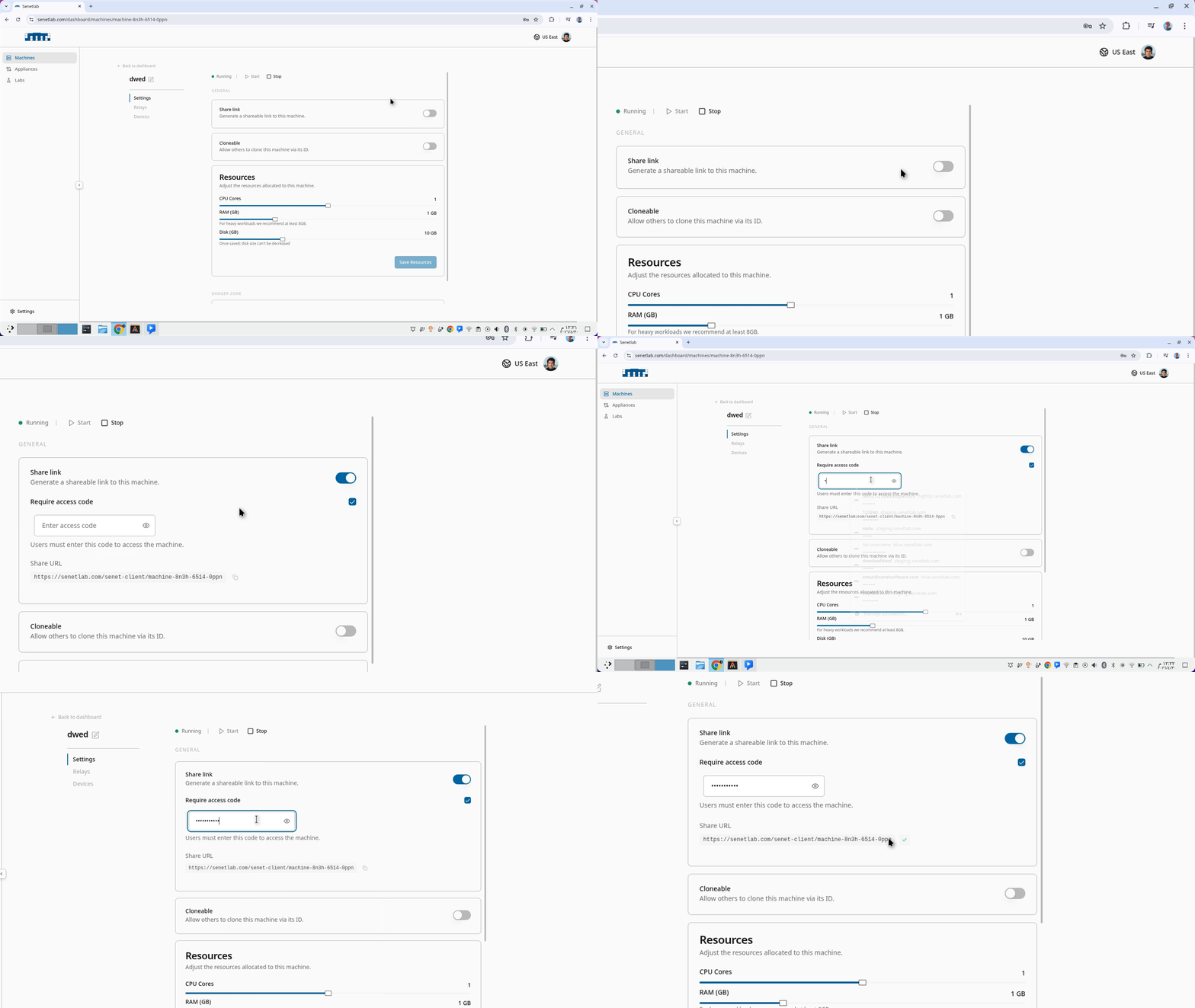
- Open the machine settings.
- Toggle Share link to on.
- (Optional) Toggle Require access code and set a password. The link alone will not grant entry without the code.
- Copy the URL and send it to your collaborator.
The recipient clicks the link, enters the access code if required, and lands inside your machine.
Enabling clones
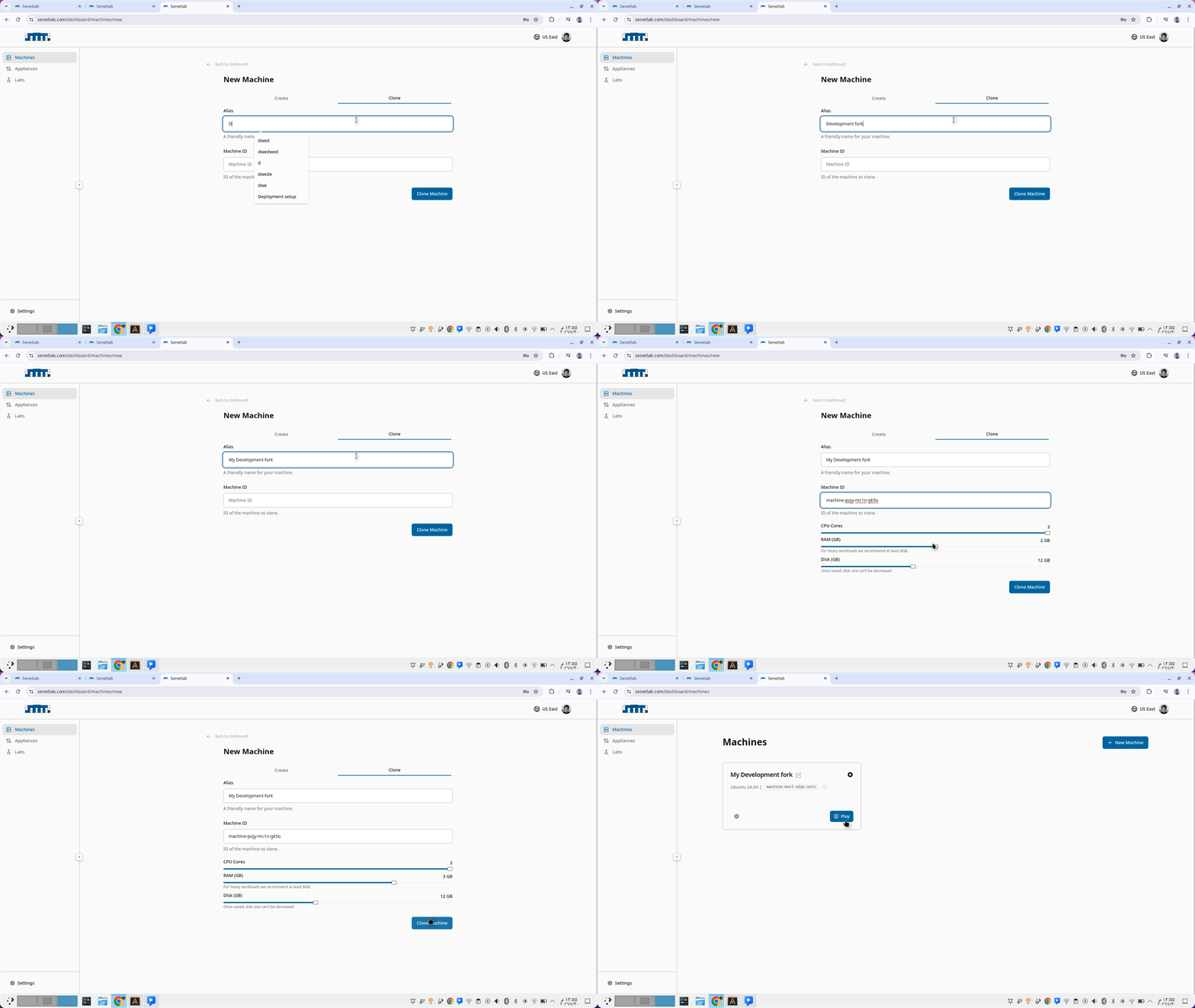
In the same settings panel, toggle Cloneable. Now other users will be able to clone this machine given it's machineID. SenetLab provisions a new machine with the same disk image and starts it. The clone belongs to the visitor's account. It consumes their resource quota, not yours.
Cloning is useful for distributing standardised environments. You build a "golden image" with all the tools your team needs, enable cloning, and share the machineID with new hires. They get a ready-to-use workspace in under two minutes.
Security model
Shared machines are read-write by default. If you want to restrict a visitor to read-only observation, contact support — role-based access controls are on the roadmap. For now, share only with people you trust, or create a checkpoint before sharing so you can restore if something changes unexpectedly.
Machines are not cloneable by default. To enable other users to clone them you need to enable cloning from the Machine page
When to share vs. when to clone
- Share when collaborating in real time. Pair programming, debugging together, or reviewing hardware output side-by-side.
- Clone when distributing environments. Onboarding, workshops, teaching, or giving a contractor an isolated copy of your setup.
- Share + checkpoint when demoing. Save a checkpoint in a clean state, share the link, and restore the checkpoint after the demo to wipe any visitor changes.